Skill Development Levy (SDL) is an important tax levied on South African employers to contribute to developing skills in the country. If you are an employer with a payroll of over R500,000 per annum, it is crucial that you understand the requirements and process of registering for SDL.
In this post, you will be guided through the step-by-step process of registering for SDL in South Africa, helping you ensure that you comply with the regulations set by the South African Revenue Service (SARS). From determining your eligibility to submitting the relevant forms and making payments, I’ve got you covered.
By paying SDL, you not only fulfil your legal obligation but also contribute to the growth and development of the country’s future workforce. So, let’s dive in and take the first step towards contributing to the development of skills in South Africa.
How To Register To Pay SDL?
Registering for SDL is a breeze, as it requires just a few simple steps that can be accomplished in no time. Suppose an employer is liable to pay SDL; the employer must first register with SARS and determine the jurisdiction of the Skills Education and Training Authority (SETA) within which they should be classified. As per legal obligation, a company that becomes an employer must register with SARS within 21 working days unless none of its employees is subject to normal tax payment.
To register for SDL, you can follow these steps:
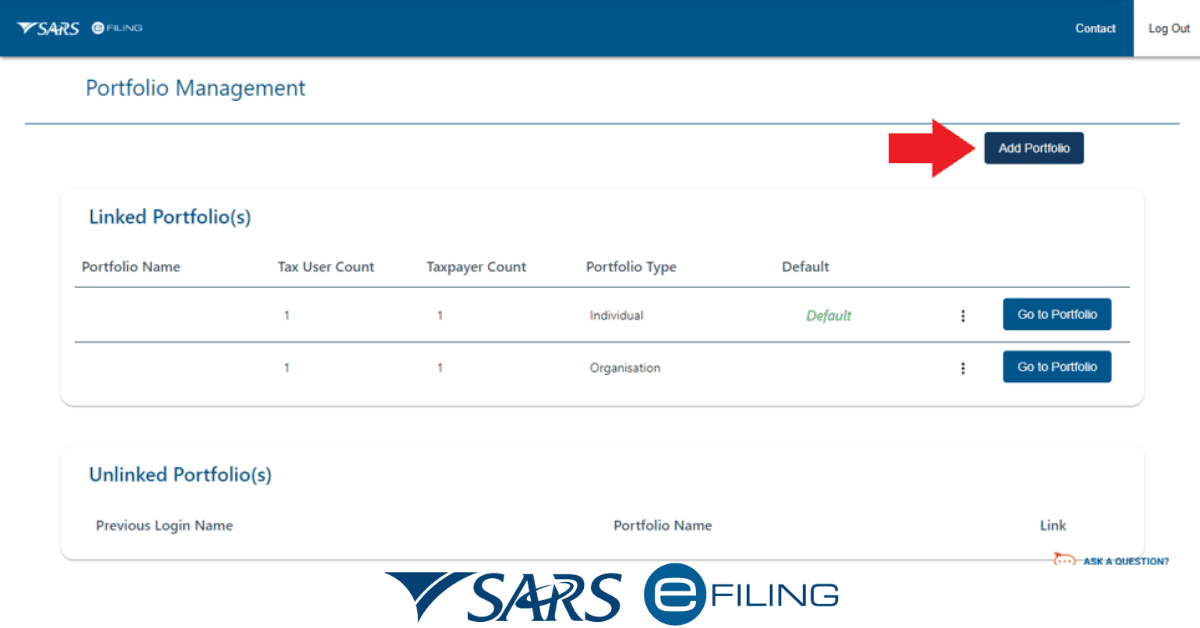
- Log into eFiling
- Access the “SARS Registered Details” functionality:
- On the Individual portfolio, select “Home” to find the functionality.
- On the Tax Practitioner and Organization eFiling portfolios, it is under the “Organizations” menu tab.
- Choose “SARS Registered Details” and then “Maintain SARS Registered Details.”
- On the “Maintain SARS Registered Details” screen, select “I Agree” to confirm your authorization for maintaining the registered details of the company or individual.
- Under “My tax products > Revenue” on the left menu, select the “Payroll taxes” option.
- Choose “Add new product registration” to register for new or additional PAYE.
- The RAV01 form will open with the “Payroll Taxes Registration Options” container. You will be asked about your PAYE and SDL status, and UIF status will update accordingly.
- If you select the business activity code field, the “PAYE Business Activity” box will appear for you to select the applicable code for your business.
- After making your selections, select the “Ok” button to submit your registration.
Deactivating the account can only be done in person at a SARS branch and cannot be done through eFiling.
Exemptions From Paying The Skill Development Levy (SDL)
Employers who are exempt from paying the Skill Development Levy (SDL) include:
- Public service employers in the national or provincial sphere of government, who must still budget for the training and education of their employees.
- National or provincial public entities whose expenditure is paid largely by Parliament. They must also budget for employee training and education.
- Public benefit organizations (PBOs) are exempt from paying income tax and only carry out specific educational, welfare, humanitarian, health care, religious, or philosophical activities, or provide funds to these PBOs.
- Municipalities that receive a certificate of exemption from the Minister of Higher Education and Training.
- Employers with a total remuneration subject to SDL are expected to be less than R500,000 over the next 12 months. These employers are not required to register and pay SDL.
Can I Voluntarily Register For SDL?
In South Africa, employers are legally mandated to register for the Skill Development Levy (SDL) if they meet the specified criteria, such as having an annual payroll of over R500,000 and employing at least four employees. This means that registration is not optional but a requirement. The funds collected through SDL are used to support skills development programs and initiatives to enhance the knowledge and abilities of the South African workforce.
When Must I Register For SDL?
If you’re an employer in South Africa and expect your employees’ total salaries to exceed R500,000 in the next 12 months, it’s time to start thinking about registering for the Skill Development Levy (SDL).
The law requires employers to register for SDL once they meet this financial threshold, as it’s an important step towards ensuring the skills and knowledge of South African workers are continuously developed and improved. By registering for SDL, you’ll be doing your part to support the country’s workforce and help build a better future for everyone. So, make sure to take note of this obligation and take the necessary steps to register as soon as possible.
How Do I Get A SDL Number?
You must register with the South African SARS to obtain a Skill Development Levy (SDL) number. The registration process involves providing information about your company, including financial information, and meeting the eligibility criteria set by law. Once you have completed the registration process, SARS will assign you an SDL number, which will be on the company’s tax clearance certificate.
Is It Compulsory To Pay SDL?
Yes, it is compulsory for employers who have a payroll of over R500,000 per annum to pay the Skill Development Levy in South Africa.
How Do I Claim SDL Contributions?
To claim a portion of your Skill Development Levy (SDL) contributions, you need to submit an Annual Training Report (ATR) and a Workplace Skills Plan (WSP) to the relevant Seta before the 30th of April each year. This process enables you to reclaim up to 20% of your SDL payments, which will be dispersed to you by the SETA on a quarterly basis in the form of mandatory grants.